
Dataminr Redefines Cyber Defense with AI-Powered Client-Tailored Intelligence and Autonomous Threat and Exposure Management
Learn More
Request a Demo

Reversing Labs

ReversingLabs solutions drastically accelerate and broaden organizations’s ability to detect new threats, respond to incidents and gain intelligence on attacks. Large enterprises and security vendors use these solutions as a foundation for protecting digital assets. Our solutions implement unique, innovative technologies that detect and analyze threats within files. Spectra Core Automated Static Analysis evaluates internal threat indicators in files in milliseconds to support real-time and high volume applications. Spectra Intel File Reputation service identifies and provides up-to-date threat intelligence on 2 billion goodware and malware files.

Integrations

ReversingLabs Spectra Analyze

This integration is a series of Components that allow users to do malware analysis with ReversingLabs Spectra Analyze and Spectra Intel. The following apps and actions are available:

  • Analyze File with ReversingLabs - The Reversing Labs API lets you submit a supported file type for ReversingLabs analysis. Use this app to automate the submission of new malware files. The app attempts to detect whether a file is in ZIP format and, if it is, automatically unzips the file before sending it to the ReversingLabs API.
  • Download ReversingLabs Sample - This app downloads a sample residing on Spectra Analyze. If a sample is in the cloud, you will need to download it to the Spectra Analyze instance that you are using first.
  • Get ReversingLabs Summary Report - This app uses hash_value(s) to get a summary classification report and details for a sample or list of samples.

These apps can be found in the ThreatConnect App Catalog under the names: Analyze File with ReversingLabs, Download ReversingLabs Sample, and Get ReversingLabs Summary Report.

Keep Reading
dark orange ThreatConnect TC logo

Built By ThreatConnect

ReversingLabs Spectra Intel

With this Playbook app, you can automatically detonate, analyze, and submit files in MalwareBazaar from ThreatConnect to understand if they are malicious and return any contextualized telemetry. This all leads to more informed decision-making and more efficient remediation of malicious files through automation.

The following actions are available within the Playbook App:

  • Submit File for Analysis - Automate the submission of new malware files.
  • Download Sample - Download a sample residing on Spectra Analyze. If a sample is in the cloud, you will need to download it to the Spectra Analyze instance that you are using first.
  • Get Extracted Files - Retrieve a list of all extracted files from a sample using the Spectra Core engine.
  • Get Summary Report - Retrieve a summary classification report and details for a sample or list of samples based on hash_value(s)
  • Get File Reputation - Retrieve Spectra Intel File Reputation results for files stored on the Spectra Analyze instance. The file must be on the Spectra Analyze instance. If it is not, you must first upload it and send it to the cloud.
  • Get Report - Retrieve Spectra Core analysis for given sample hash value. The file must be uploaded to the Spectra Analyze instance beforehand.

This app can be found in the ThreatConnect App Catalog under the names: ReversingLabs

Keep Reading
dark orange ThreatConnect TC logo

Built By ThreatConnect

ReversingLabs Spectra Core

This integration is a series of Components that allow users to do malware analysis with ReversingLabs Spectra Analyze and Spectra Intel. The following apps and actions are available:
  • Get ReversingLabs Extracted Files - This app gets a list of all extracted files from a sample using the Spectra Core engine.
  • Get ReversingLabs Spectra Core Results - This app gets Spectra Core analysis for given sample hash value. The file must be uploaded to the Spectra Analyze instance beforehand.
These apps can be found in the ThreatConnect App Catalog under the names: Get ReversingLabs Extracted Files and Get ReversingLabs Spectra Core Results.
Keep Reading
dark orange ThreatConnect TC logo

Built By ThreatConnect

ReversingLabs with Polarity

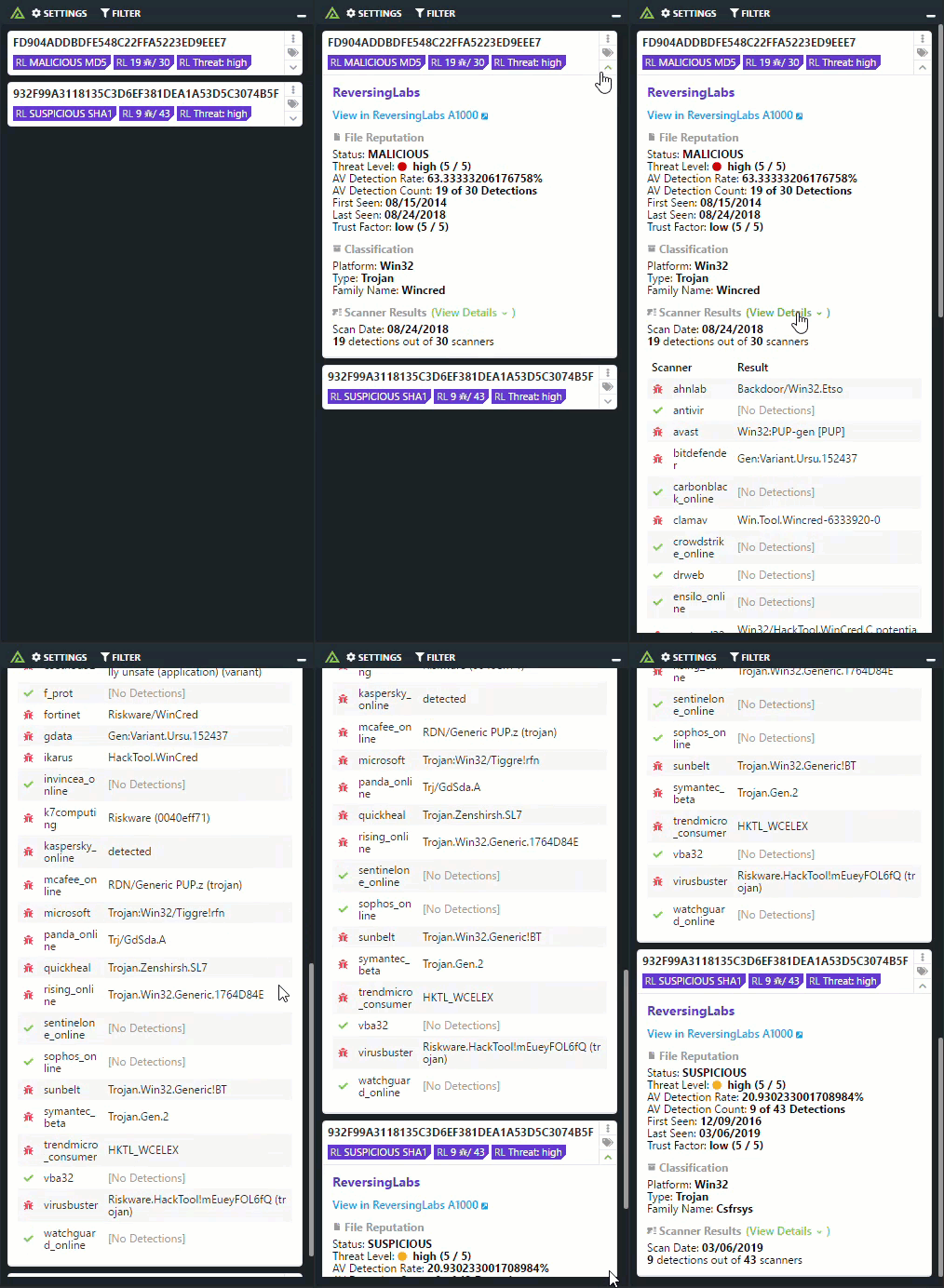
The Polarity - ReversingLabs integration quickly searches Hashes and IPs against ReversingLabs' vast malware analysts platform. Enabling analysts to have a complete picture on the supply chain of a file hash.
Keep Reading

Products

  • Polarity Polarity

Related Resources

Built By Polarity

ReversingLabs Spectra Analyze with Polarity

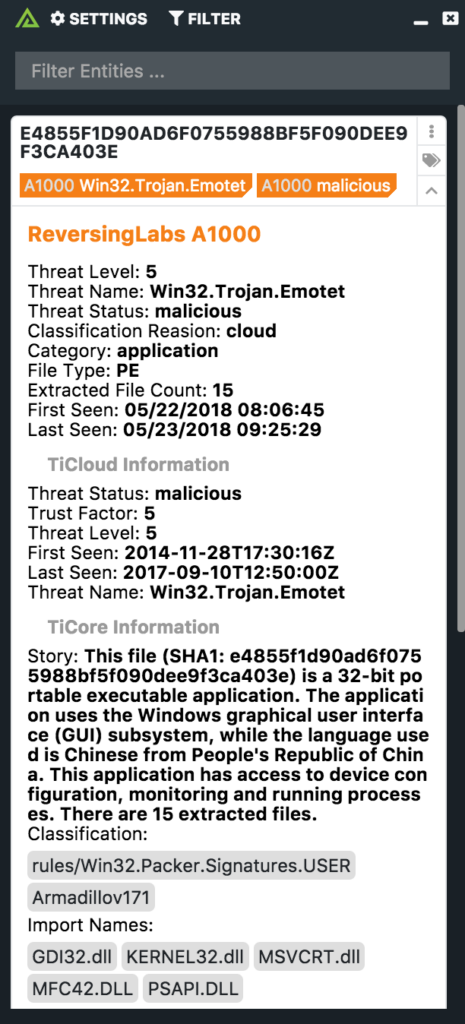
The Polarity - ReversingLabs integration quickly searches a company's on-prem version of ReversingLabs for Hashes and IPs against ReversingLabs' vast malware analysts platform. Enabling analysts to have a complete picture on the supply chain of a file hash.
Keep Reading

Products

  • Polarity Polarity

Related Resources

Built By Polarity

Playbooks

ReversingLabs Playbooks

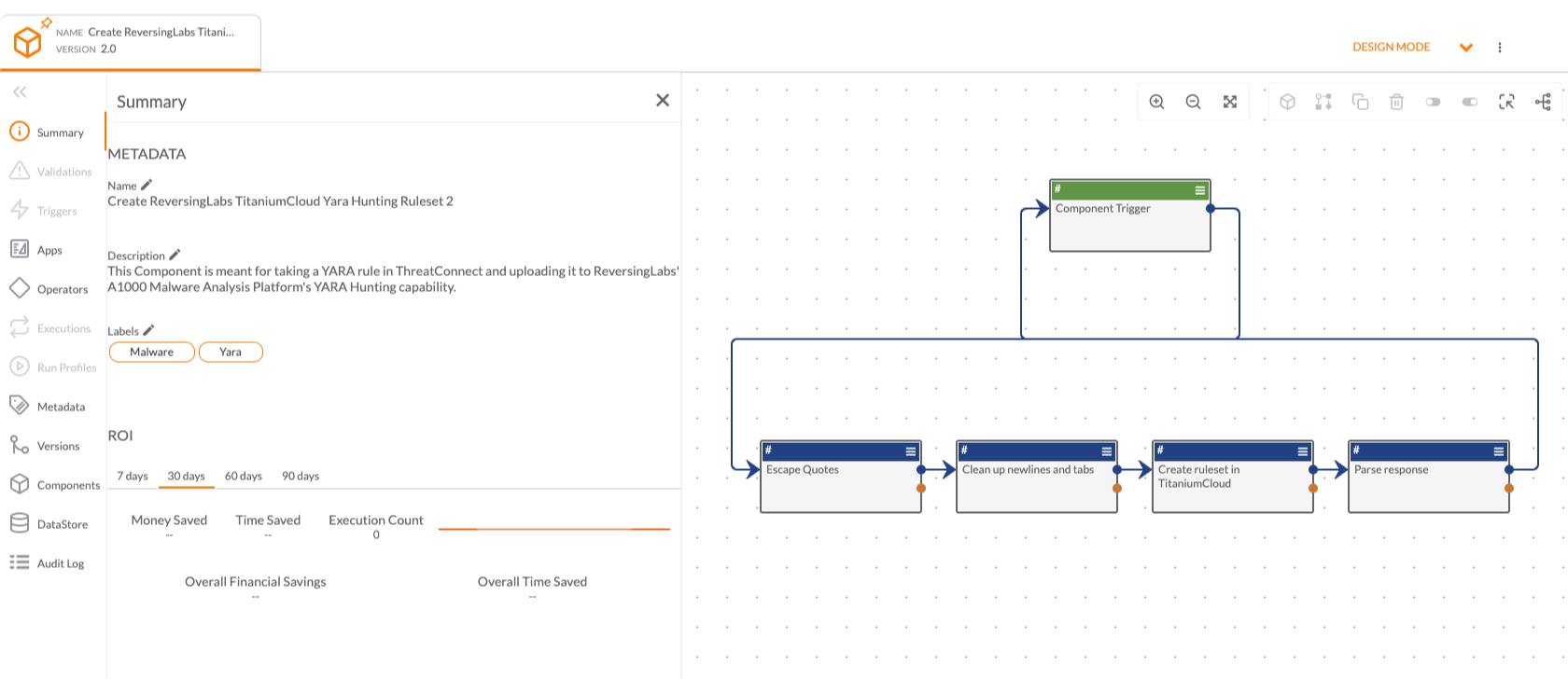
The Create Spectra Intel Yara Hunting Ruleset Playbook template allows you to take a YARA rule in ThreatConnect and upload it to ReversingLabs' Spectra Analyze Malware Analysis Platform's YARA Hunting capability.

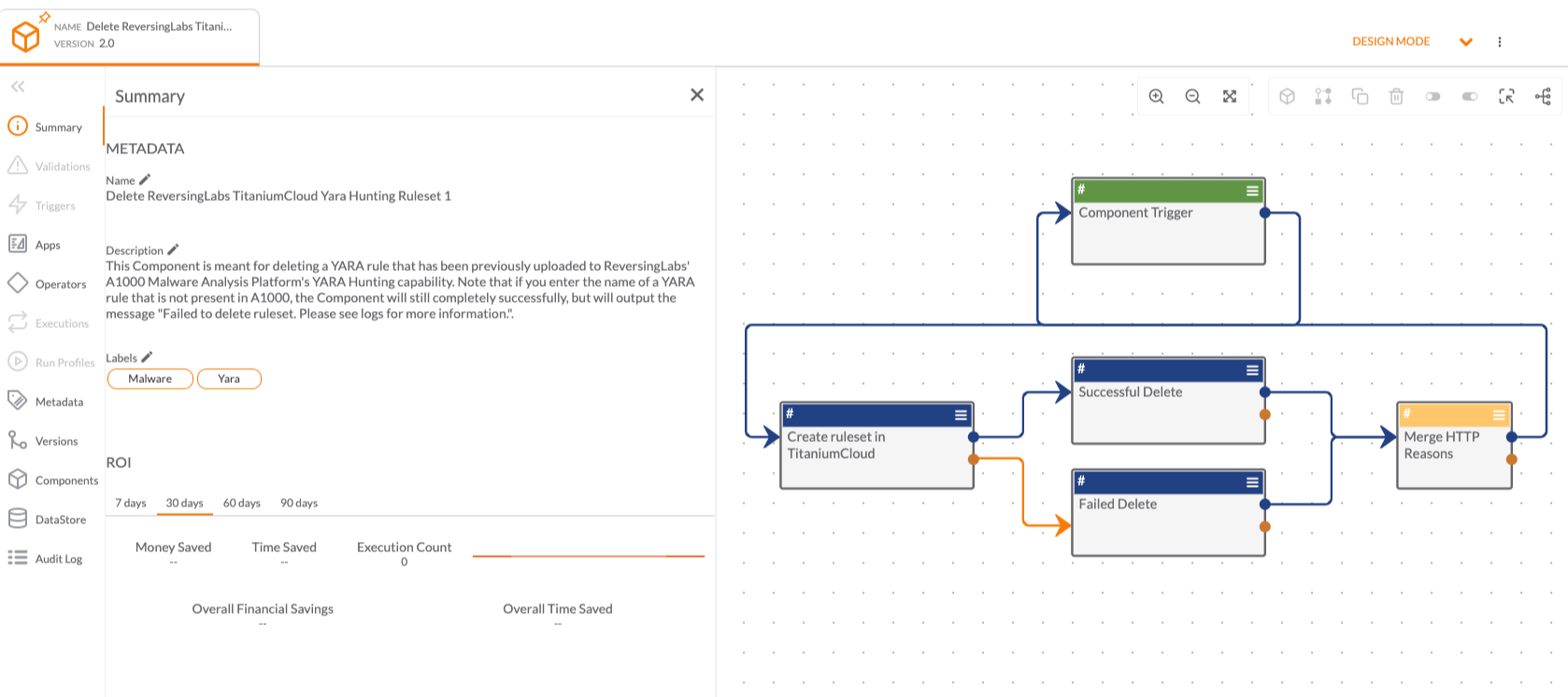
The Delete ReversingLabs Spectra Intel Yara Hunting Ruleset Playbook template allows users to delete a YARA rule that has been previously uploaded to ReversingLabs' Spectra Analyze Malware Analysis Platform's YARA Hunting capability. Note that if you enter the name of a YARA rule that is not present in Spectra Analyze, the Component will still complete successfully, but will output the message "Failed to delete ruleset. Please see logs for more information".

These Playbook templates can be found in the ThreatConnect App Catalog under the names: Create Spectra Intel Yara Hunting Ruleset and Delete ReversingLabs Spectra Intel Yara Hunting Ruleset 
Keep Reading
dark orange ThreatConnect TC logo

Built By ThreatConnect

Looking for an
integration not shown?